2D Elastic FWI on Overthrust with Torch
Source file:
examples/FWI/2d/elastic/torch/fwi_overthrust.py
What This Example Does
This example runs 2D elastic full-waveform inversion on an Overthrust slice with one script that supports two propagator backends:
eager: pure PyTorch propagation throughPropTorch(..., backend="eager")cuda: compiled CUDA propagation throughPropTorch(..., backend="cuda")
The script:
- loads the 2D Overthrust true and smooth
vpmodels - derives
vsfromvp / 1.732and uses constantrho - generates observed elastic shot gathers from the true model
- inverts
vpandvsfrom the smooth starting model
Main Components
The solver is built from:
equation:Elastic(...)propagator:PropTorch(...)wave: a Ricker wavelet injected intosxxandszzsources: regularly sampled surface sourcesreceivers: regularly sampled surface receiversmodels:vp,vs, andrho
Prepare the Overthrust Model Files
This 2D example reads an extracted Overthrust slice:
examples/models/overthrust/true_2d.npyexamples/models/overthrust/smooth_2d.npy
Generate the 3D volume, smooth it, and extract the 2D slice before running the example:
python3 examples/models/overthrust/download_3d_overthrust.py --extract
python3 examples/models/overthrust/convert_3d_overthrust_vites_to_npy.py
python3 examples/models/overthrust/make_smooth_model.py \
  --input examples/models/overthrust/true_3d.npy \
  --output examples/models/overthrust/smooth_3d.npy \
  --radii 6,6,6 \
  --passes 3
python3 examples/models/overthrust/extract_2d_slice.py \
  --input examples/models/overthrust/true_3d.npy \
  --output examples/models/overthrust/true_2d.npy \
  --axis y
python3 examples/models/overthrust/extract_2d_slice.py \
  --input examples/models/overthrust/smooth_3d.npy \
  --output examples/models/overthrust/smooth_2d.npy \
  --axis y
Backend Selection
Run the example with:
python3 examples/FWI/2d/elastic/torch/fwi_overthrust.py --backend eager
python3 examples/FWI/2d/elastic/torch/fwi_overthrust.py --backend cuda
Key Configuration
Shared configuration comes from examples/_shared/configure_overthrust.py and includes:
nt=1500,dt=0.002dh=25.0spatial_order=4abcn=10src_step=4,rec_step=2source_encoding=Truebatchsize=8
The script uses:
source_type=["sxx", "szz"]receiver_type=["vx", "vz"]- separate learning rates for
vp,vs, andrho
Geometry
The final array shapes are:
sources:(nshots, 2)receivers:(nshots, nreceivers, 2)
Outputs
The script saves:
ricker.pngobserved_data.pngloss.pngepoch_XXXX.png
Each backend writes into its own output directory:
elastic_fwi_overthrust_torch
elastic_fwi_overthrust_cuda
Example Figures
The following figures come from a completed CUDA run of the 2D elastic Overthrust example.
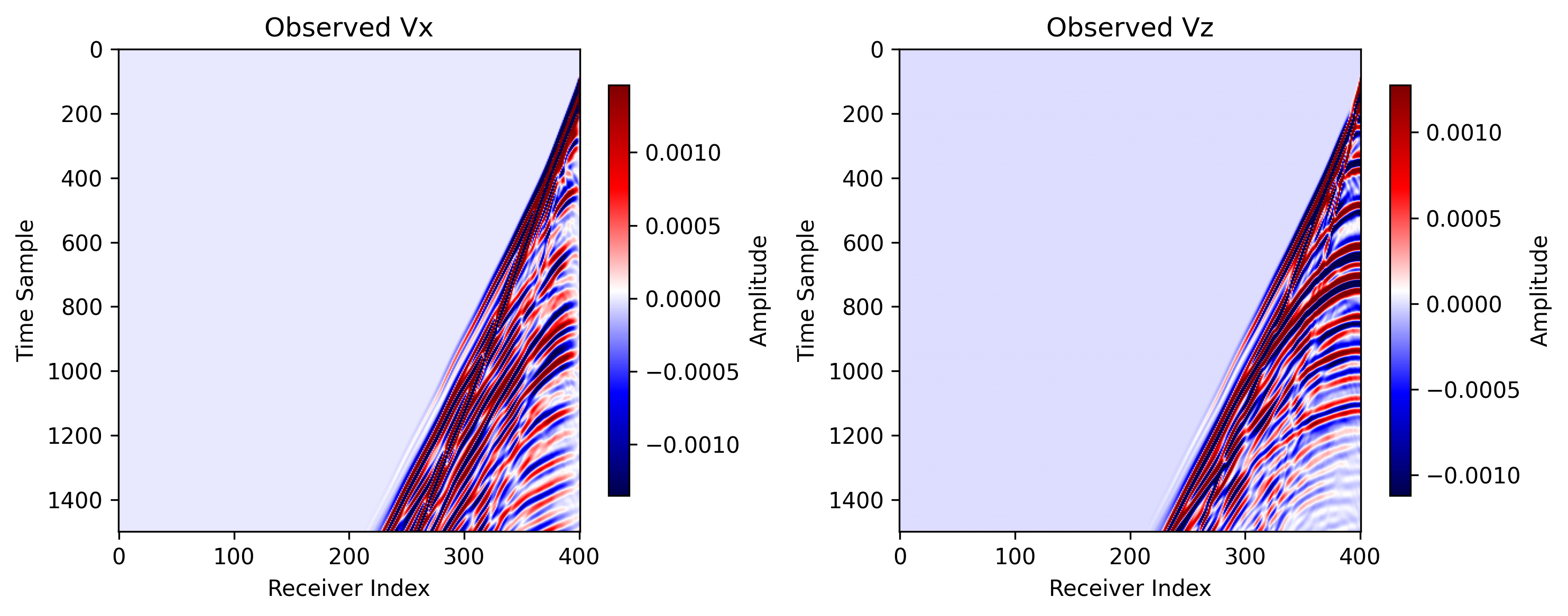
observed_data.png: observed vx and vz shot gathers generated from the
true model.
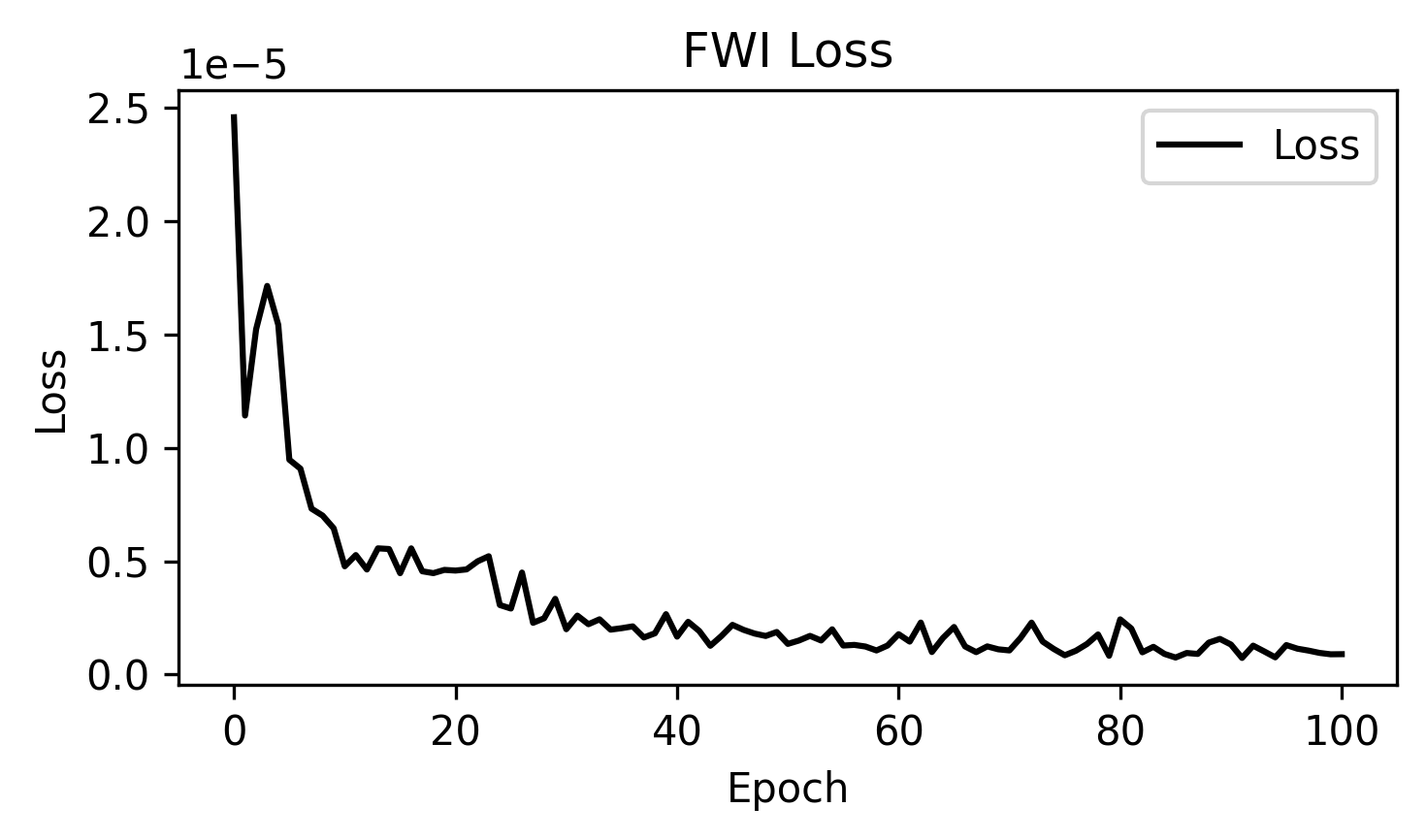
loss.png: the inversion loss curve across optimization steps.
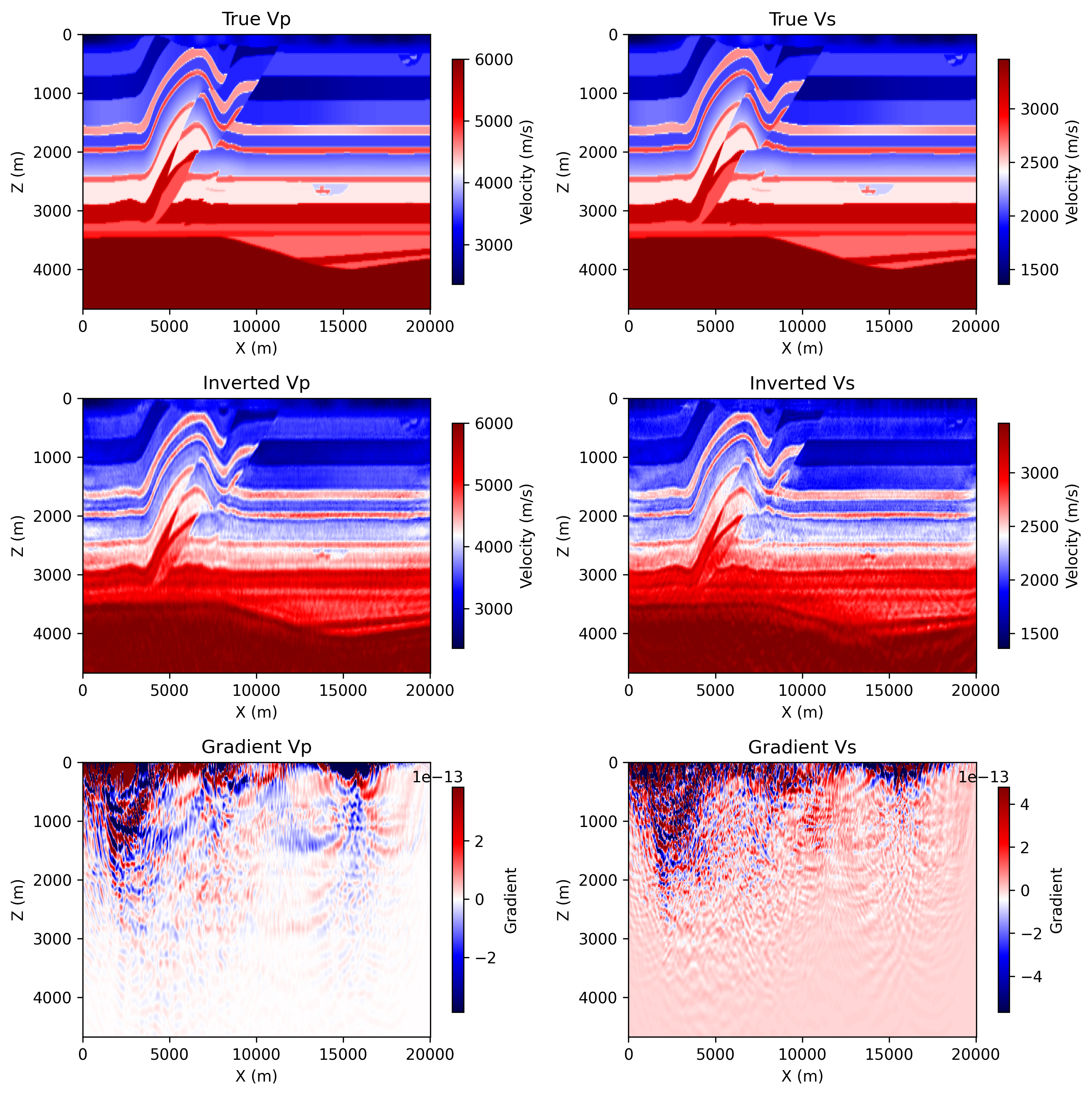
epoch_0100.png: the saved progress panel at the final shown epoch, including
the true models, current inverted models, and current gradients.
Notes
- the Overthrust elastic example now defaults to source encoding
cudamode requires a CUDA-capable PyTorch environment and compiled bindings